Company
DemandFarm
Industry
AI / CRM / Enterprise SaaS
Product
KAMpanion
DemandFarm needed to solve a critical problem for enterprise account managers: fragmented intelligence scattered across CRMs, spreadsheets, email, and meeting notes.
Account Managers were spending hours hunting for insights that should have been instant, "Which accounts have white space?" ,"What's the risk level on my top three deals?", "Who haven't I talked to in 60 days?"
Existing CRM reporting couldn't answer these questions in context. Static dashboards required too much manual digging. The opportunity was clear: build an AI-native interface that could understand natural language queries and surface actionable account intelligence in seconds.
Do it fast, validate the concept early, and make it feel natural in enterprise workflows.
6+ Tools, Zero Trust in AI,
and Data Scattered Across Four Systems
Building a conversational AI product for enterprise sales isn't just a technical problem, it's a design, trust, and workflow problem.
The specific challenges we had to solve:
Adoption friction: Sales teams already switch between 6+ tools daily. Adding "another app" would be a burden.
Trust gap: AI in enterprise contexts requires explainability. Users need to know why an insight exists, where it comes from, and is it legit, not just see a generated answer.
Data complexity: Account intelligence lives in CRMs (Salesforce), engagement tools, emails, and meeting notes, all disconnected systems.
Conversational UX for data-dense outputs: How do you make a chat interface useful when answers require tables, relationship maps, and context?
Most AI products fail at one of these. We had to get all four right
The specific challenges we had to solve:
Adoption friction: Sales teams already switch between 6+ tools daily. Adding "another app" would be a burden.
Trust gap: AI in enterprise contexts requires explainability. Users need to know why an insight exists, where it comes from, and is it legit, not just see a generated answer.
Data complexity: Account intelligence lives in CRMs (Salesforce), engagement tools, emails, and meeting notes, all disconnected systems.
Conversational UX for data-dense outputs: How do you make a chat interface useful when answers require tables, relationship maps, and context?
Most AI products fail at one of these. We had to get all four right
Validate Fast,
Build Smart
"Start where users already are."
Solution was to build the MVP on Microsoft Teams, not as a standalone app. Why?
Zero friction: Account Managers already lived in Teams for daily collaboration.
Fastest validation path: We could test the core value prop, AI-powered account insights via chat without building auth, navigation, or a full UI.
Natural integration point: Since most of our customers were on Teams, and has a chat interface which users are already familiar with, embedding there made the most sense.
This decision let us ship an alpha in 2 months instead of 4+. Users could ask questions with @Kampanion and get instant responses without leaving their workspace.
The insight: Don't build a new destination. Embed intelligence into existing workflows.
Design for Trust,
Not Just Speed
The biggest risk with AI-powered tools in enterprise settings? Users don't trust outputs they can't verify.
We addressed this through specific design decisions:
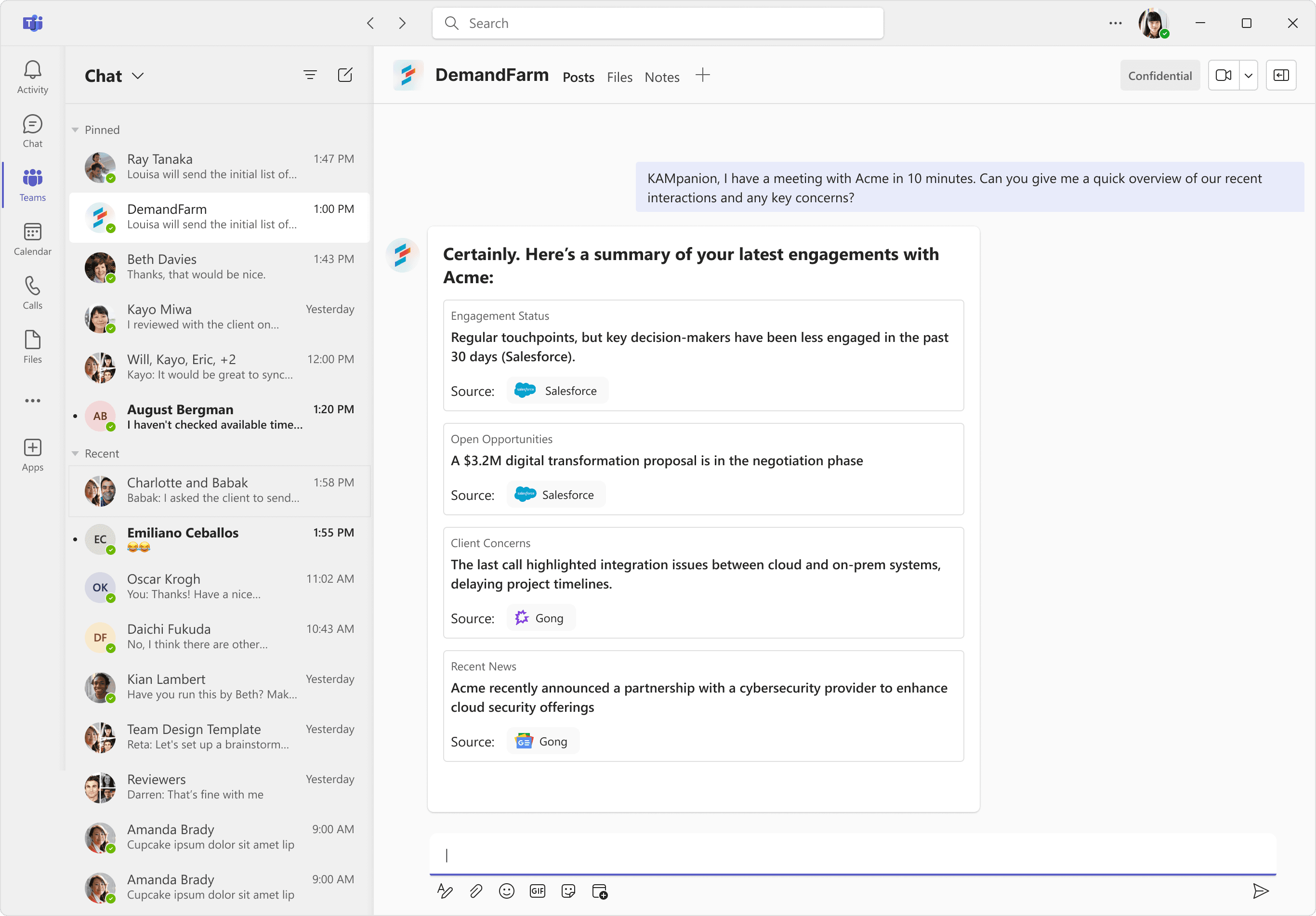
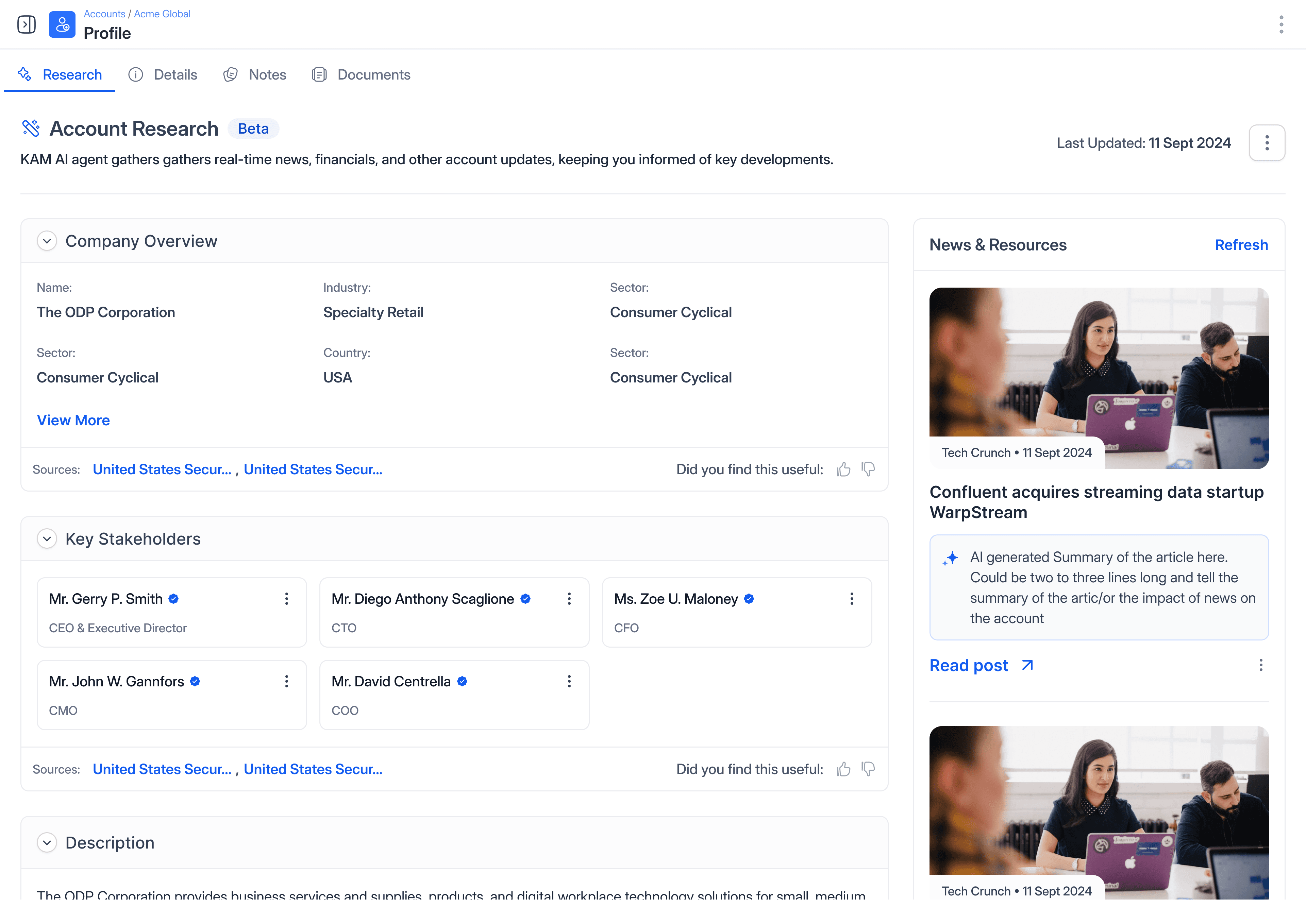
Show the sources
Every AI-generated insight links back to the CRM record, email thread, or meeting note it pulled from. This wasn't optional—it was the foundation of trust.
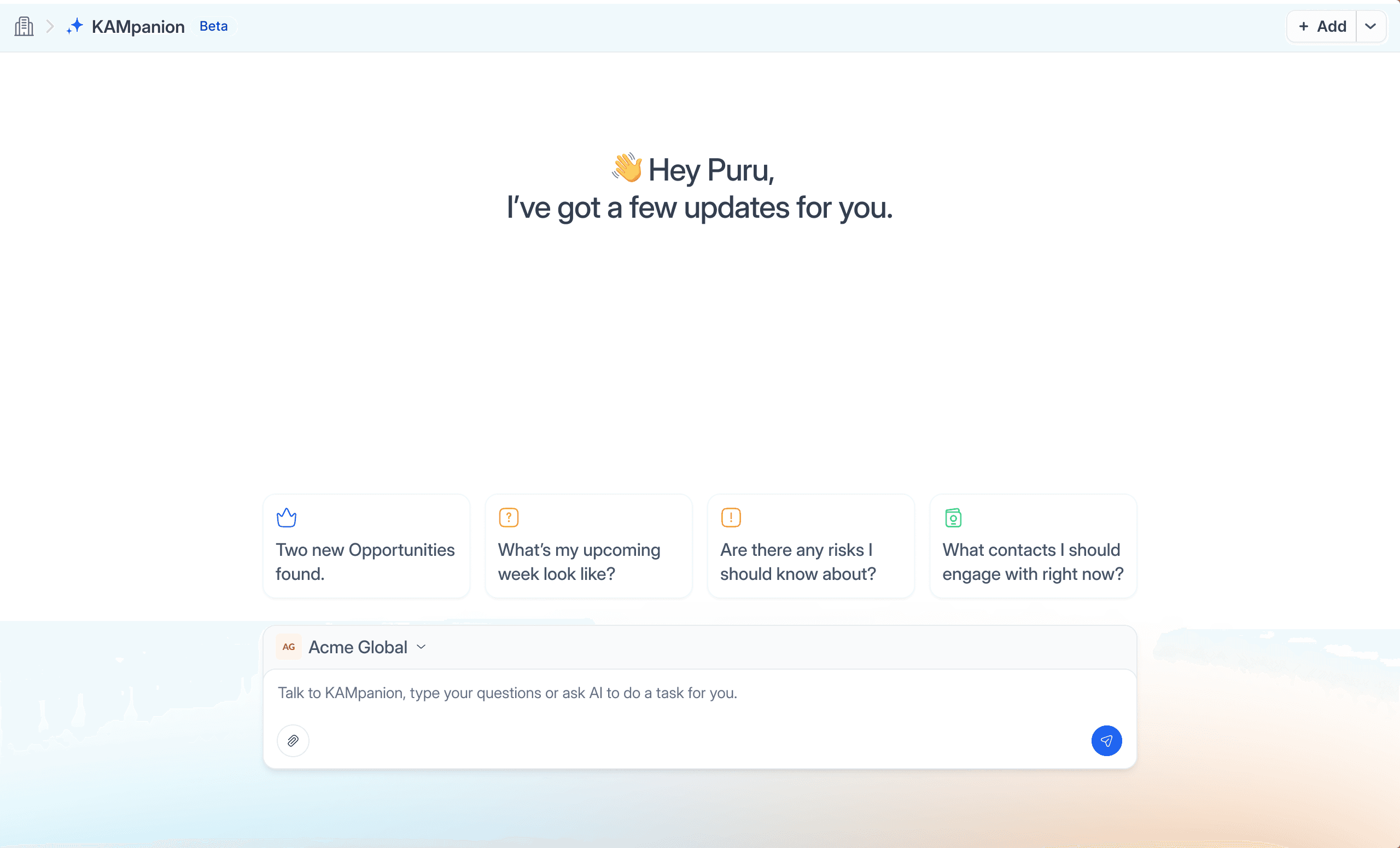
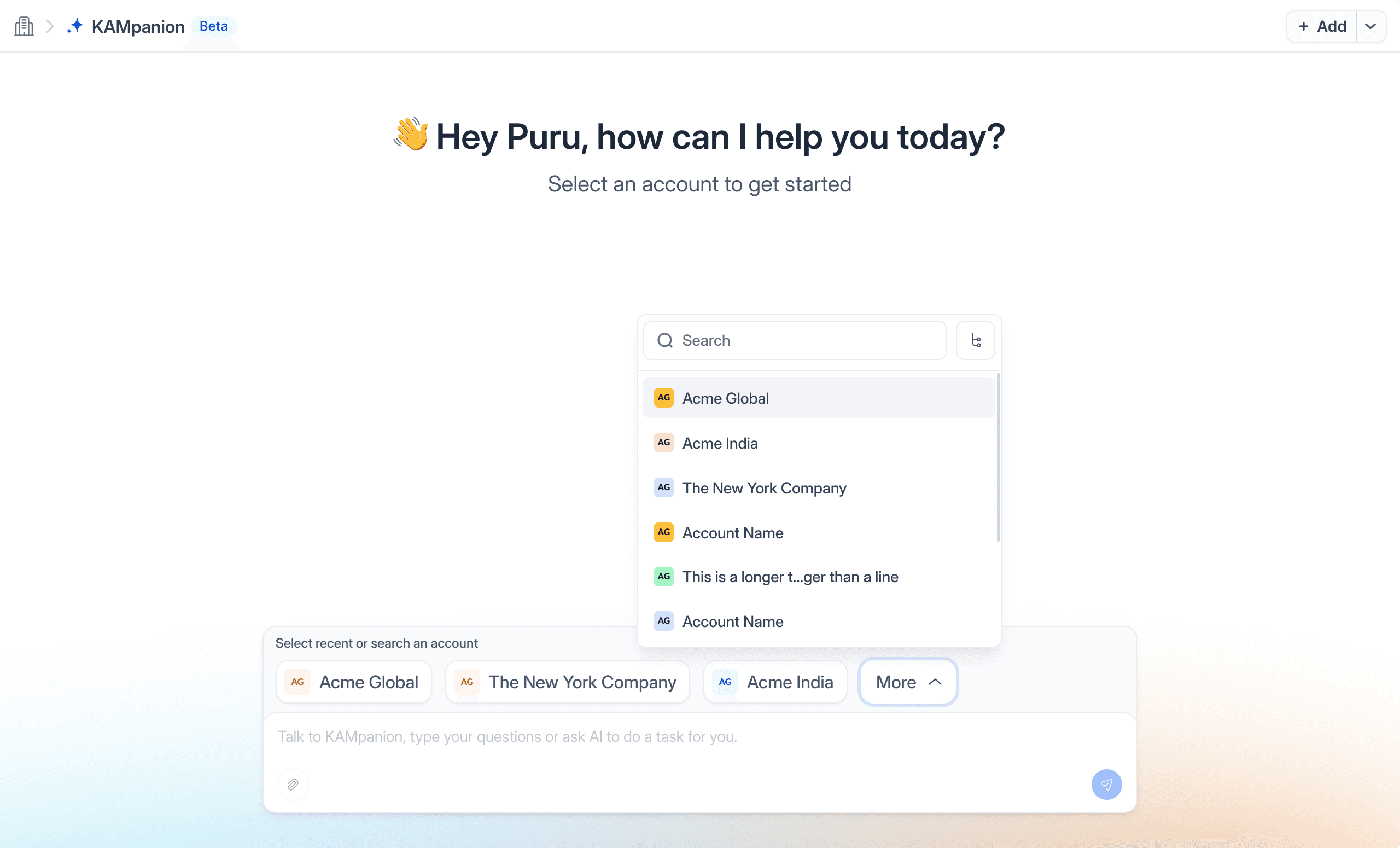
Add an account selector
Instead of asking users to specify accounts in every query, we added a persistent account selector. This improved response accuracy, sped up queries, and gave users control over context.
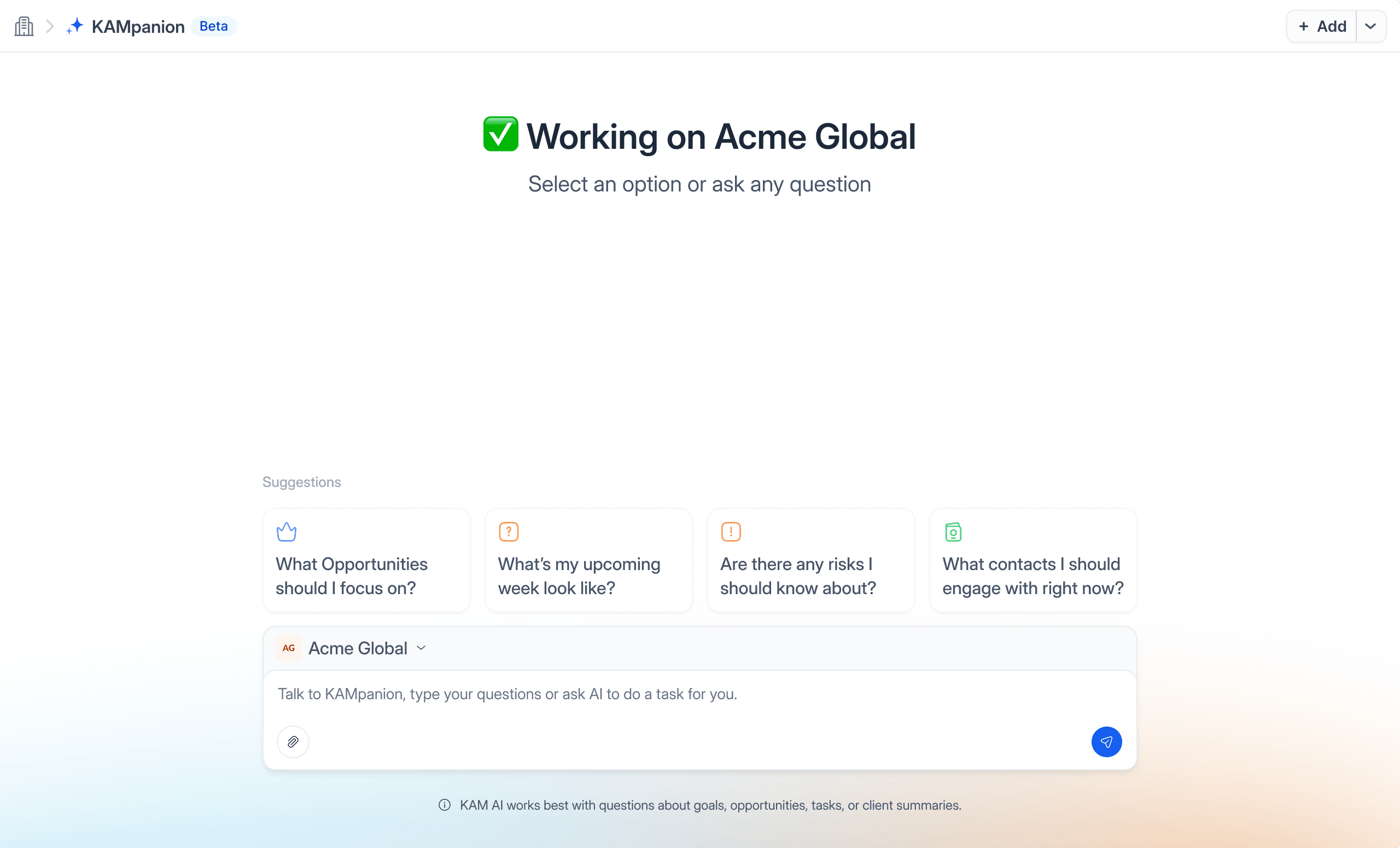
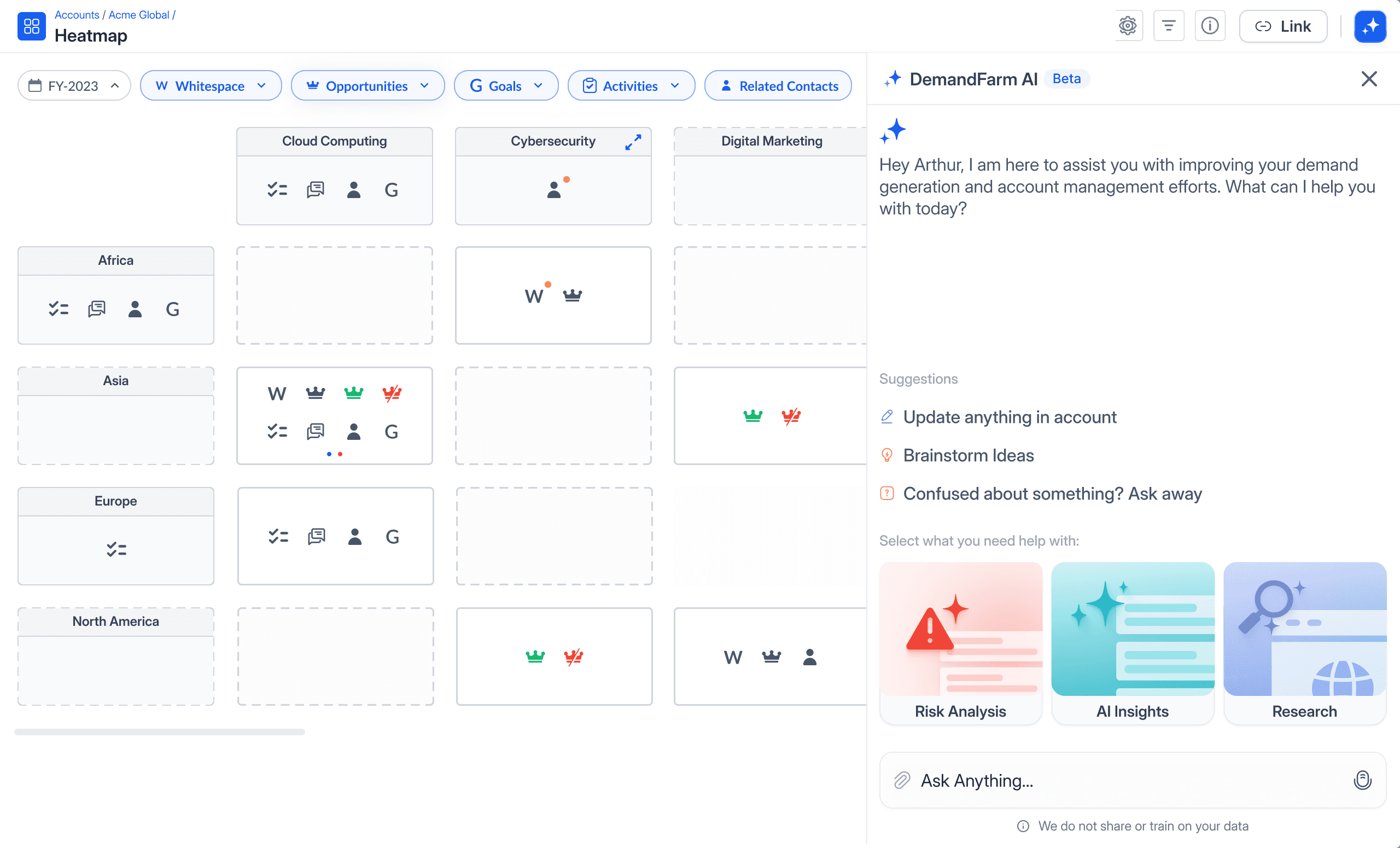
Pre-built templates to educate users
Most users didn't know what questions to ask. We built templates like:
"Show me white space in my top accounts"
"Which stakeholders haven't I engaged in 60 days?"
"What are the highest-risk deals this quarter?"
These weren't just shortcuts, they were product education disguised as convenience.
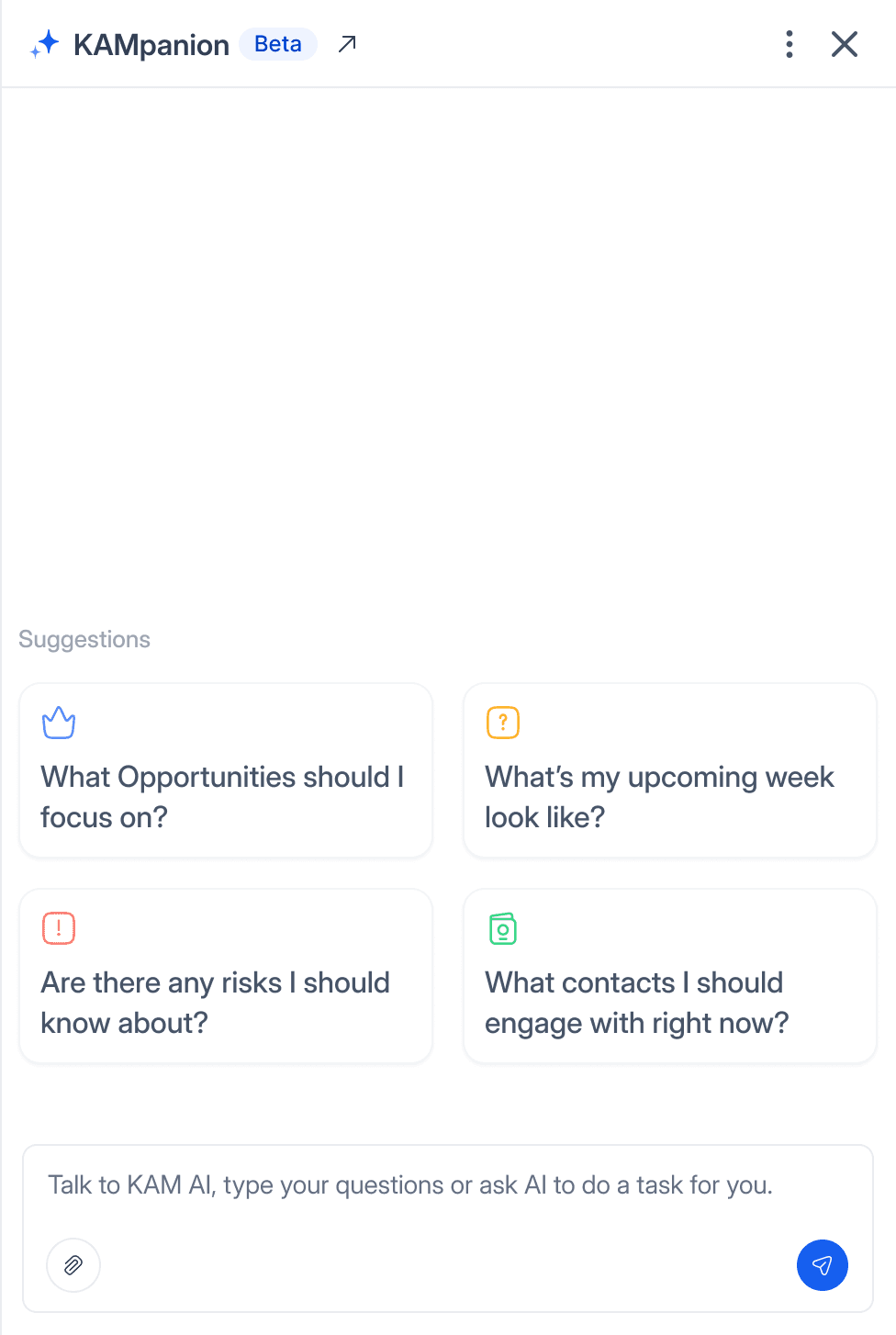
Balance Conversational UX
with Data Density
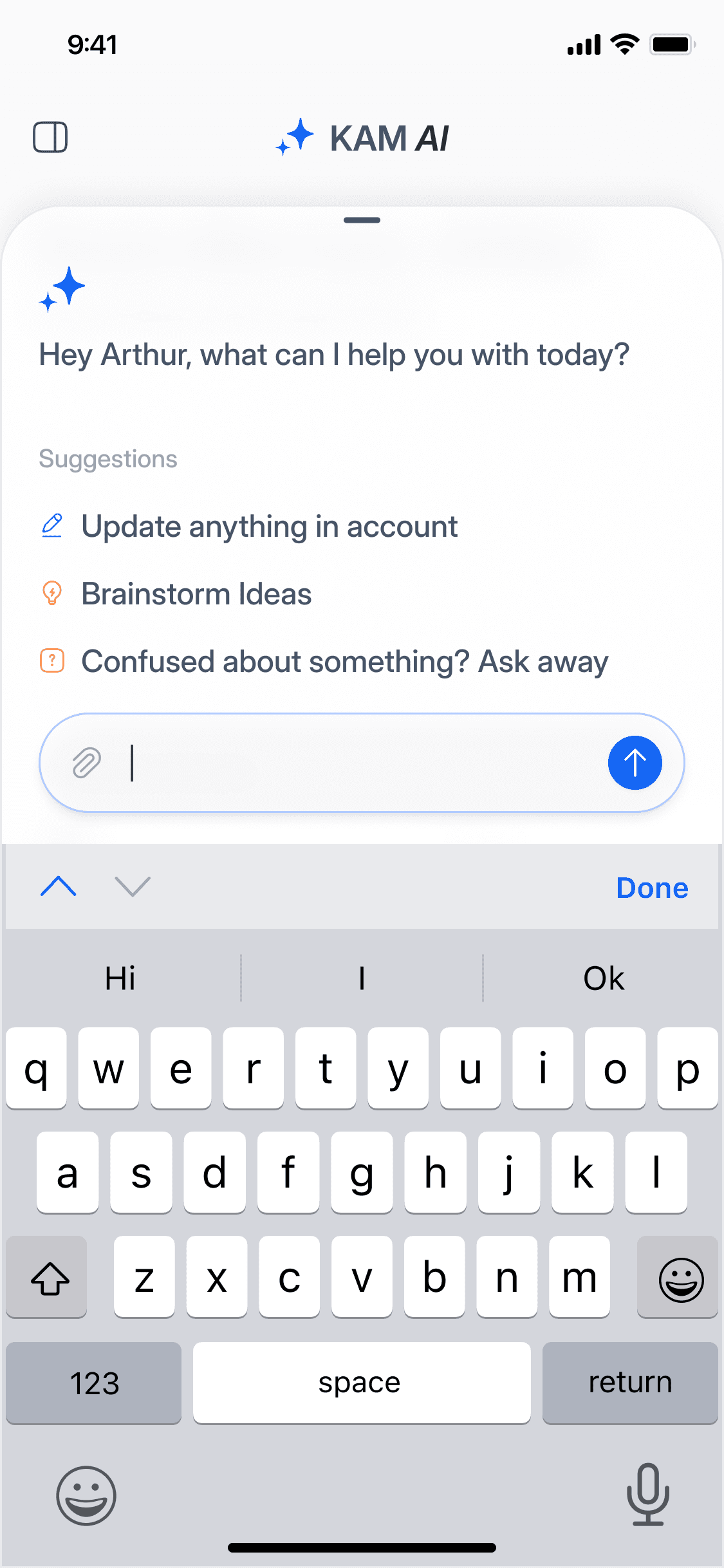
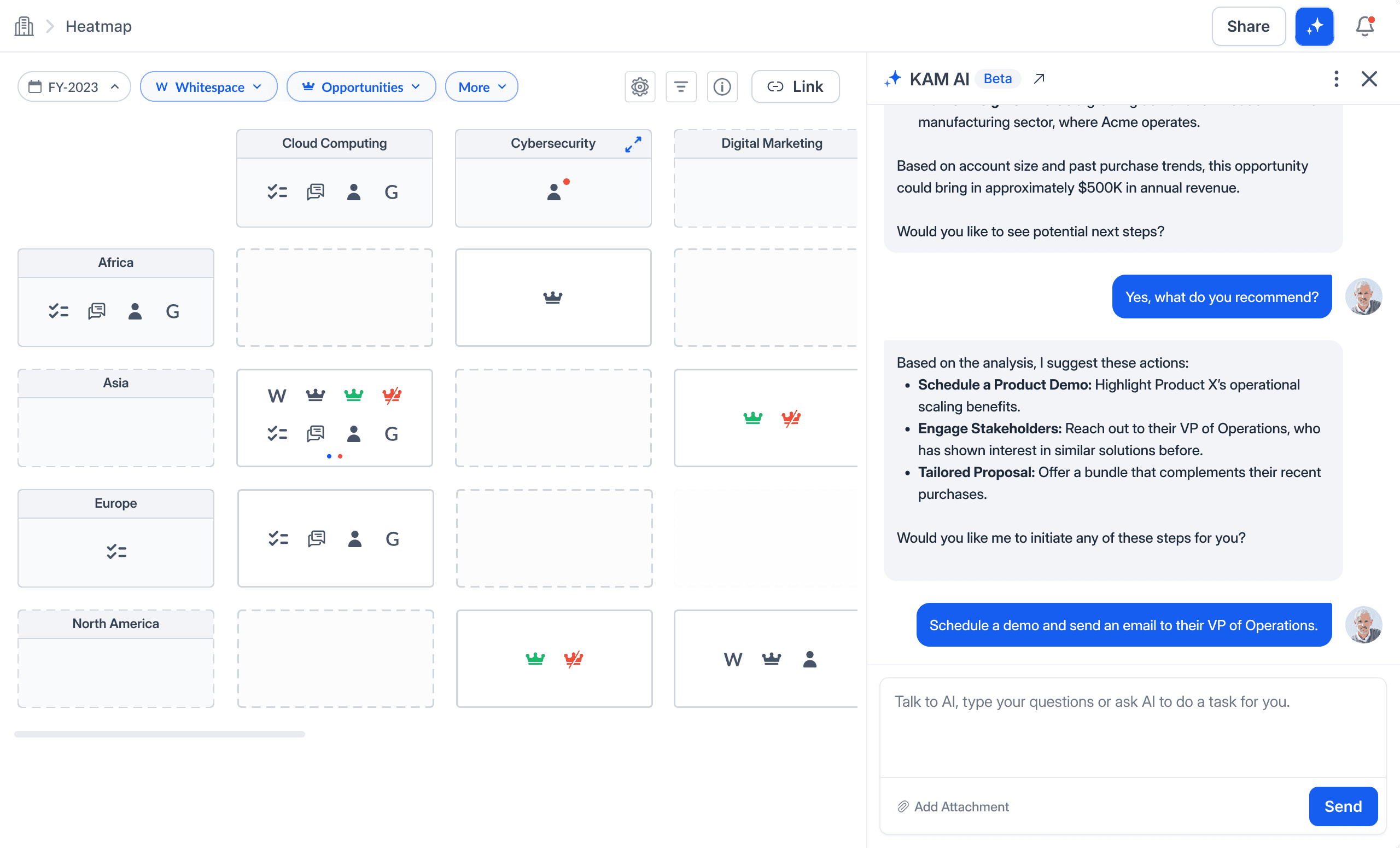
Enterprise users need more than chatbot-style answers. They need structured data, visual cues, and actionable next steps.
The design challenge: How do you present relationship maps, deal pipelines, and white space analysis in a chat interface without overwhelming users?
Our approach:
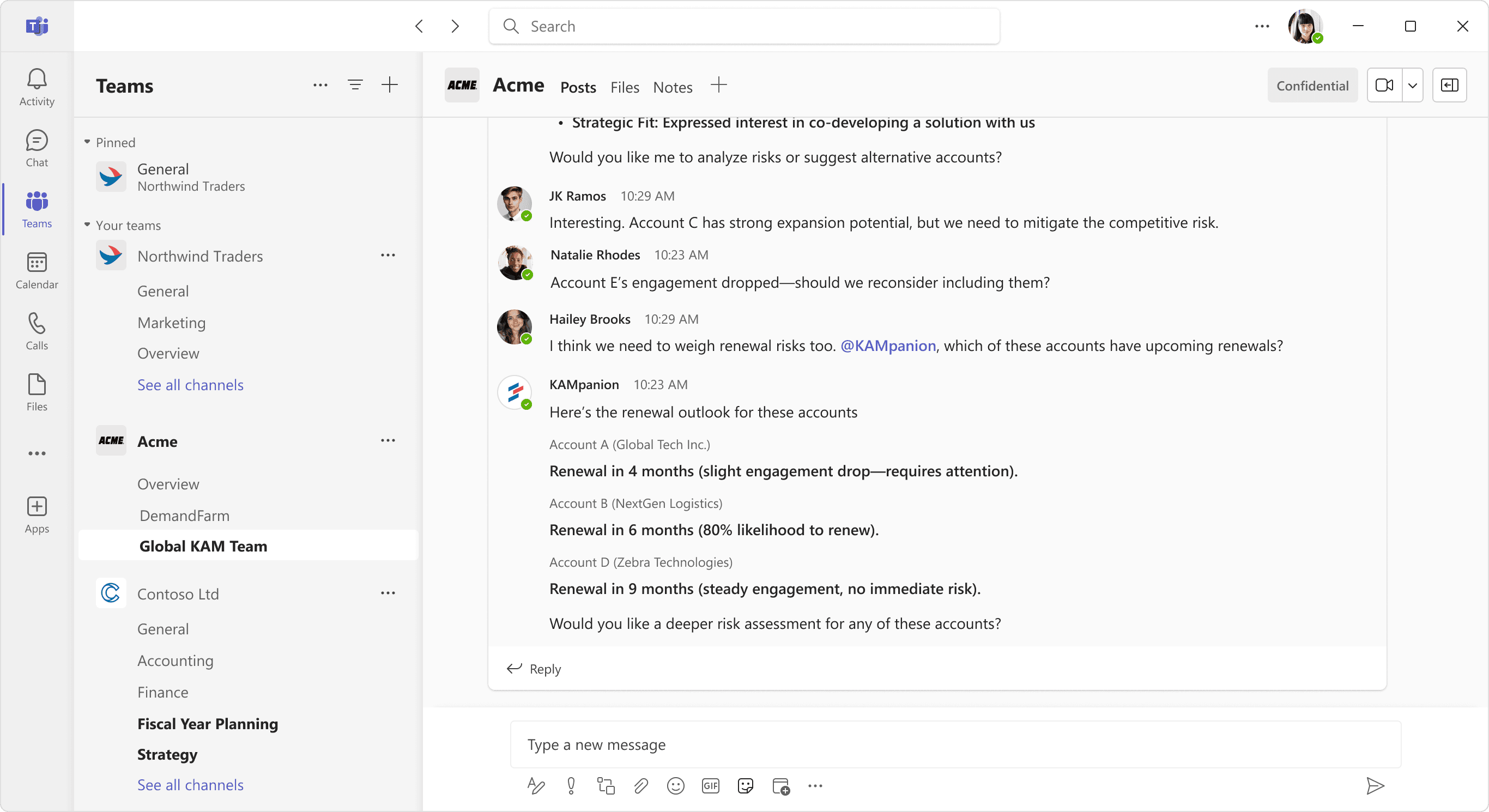
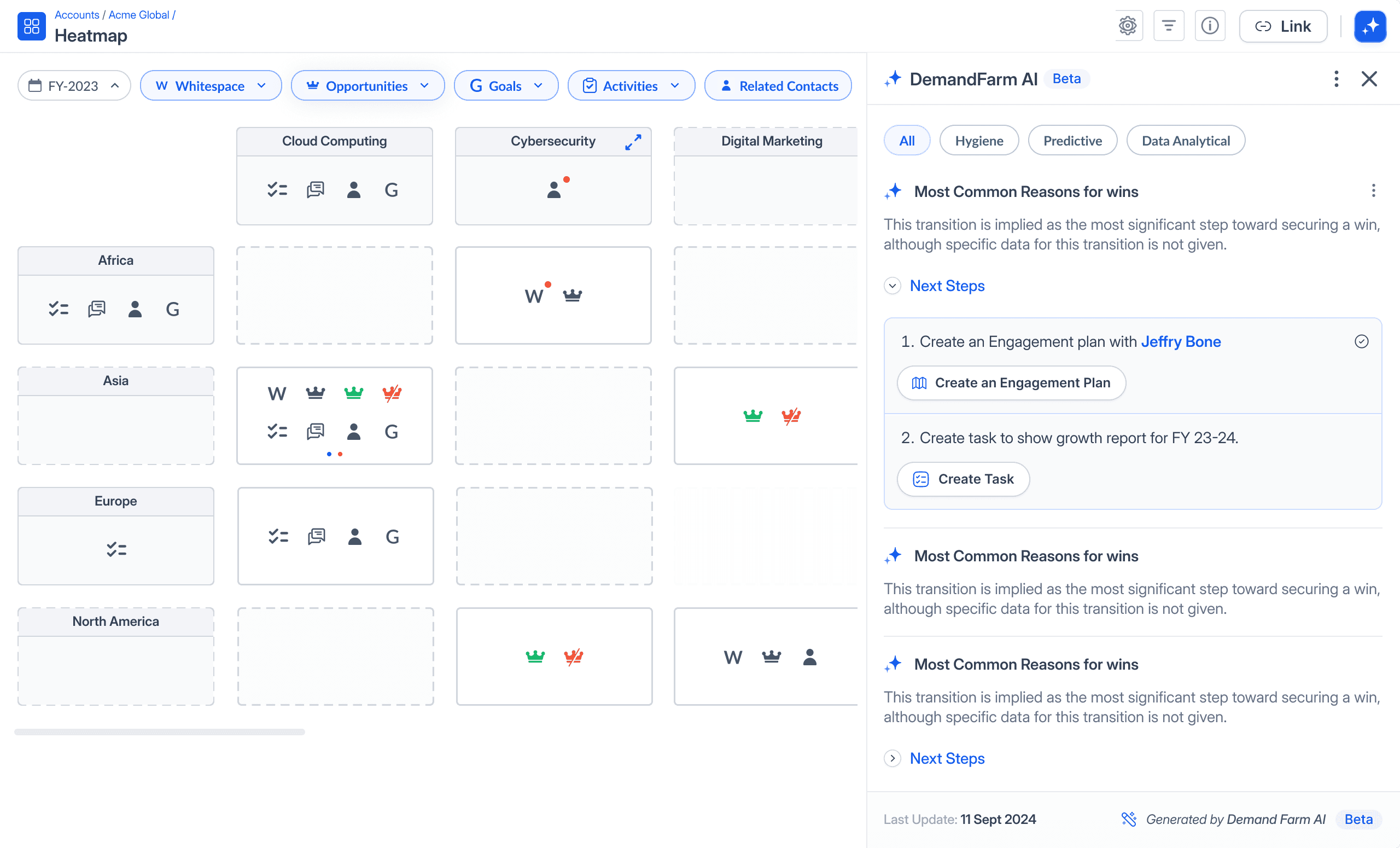
Hybrid responses: Text summaries + embedded tables, heatmaps, or relationship graphs
Progressive disclosure: Start with a high-level answer, then let users drill deeper
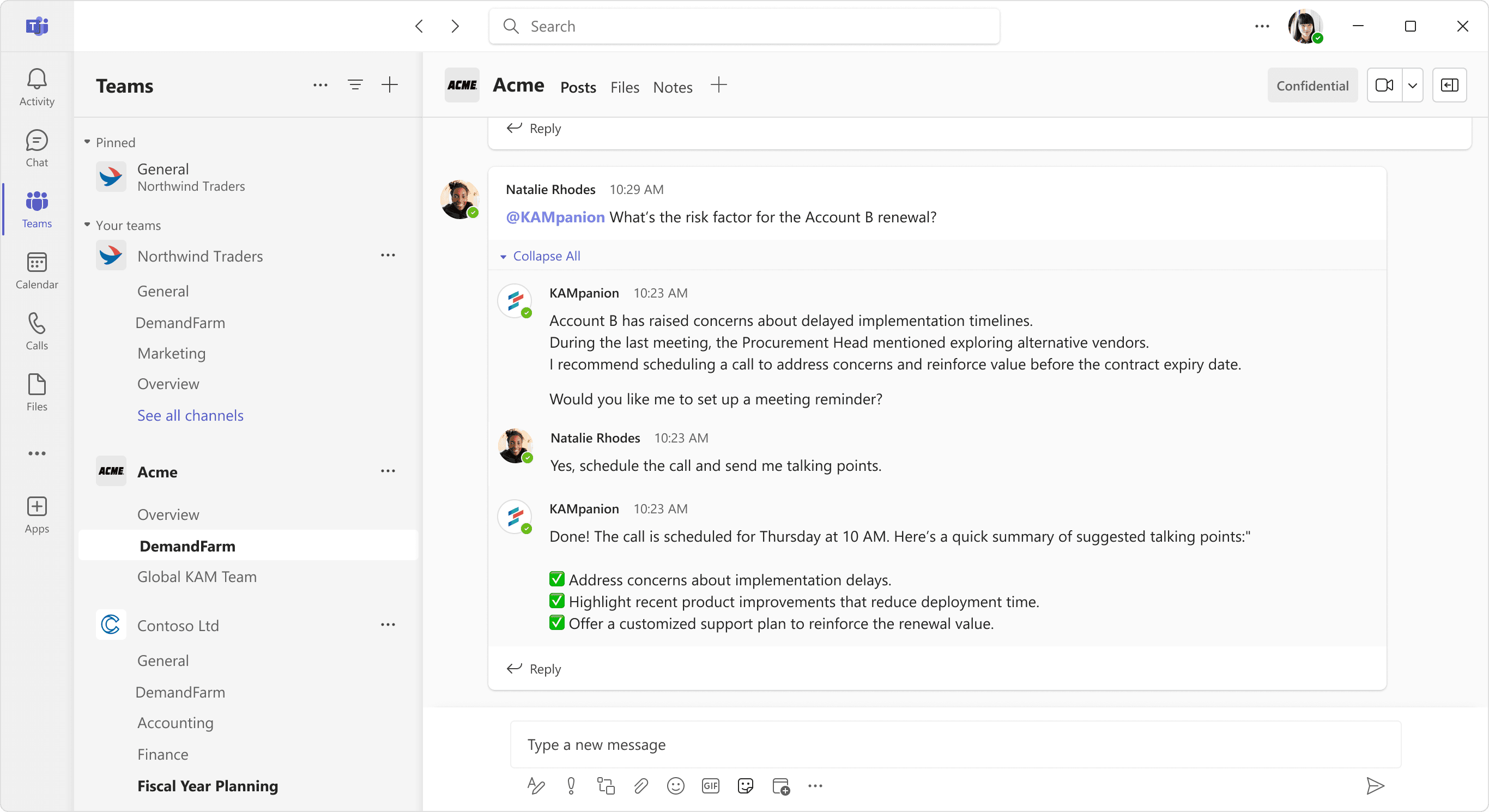
Action triggers: Responses could trigger workflows like "Schedule a follow-up" or "Update the growth plan"
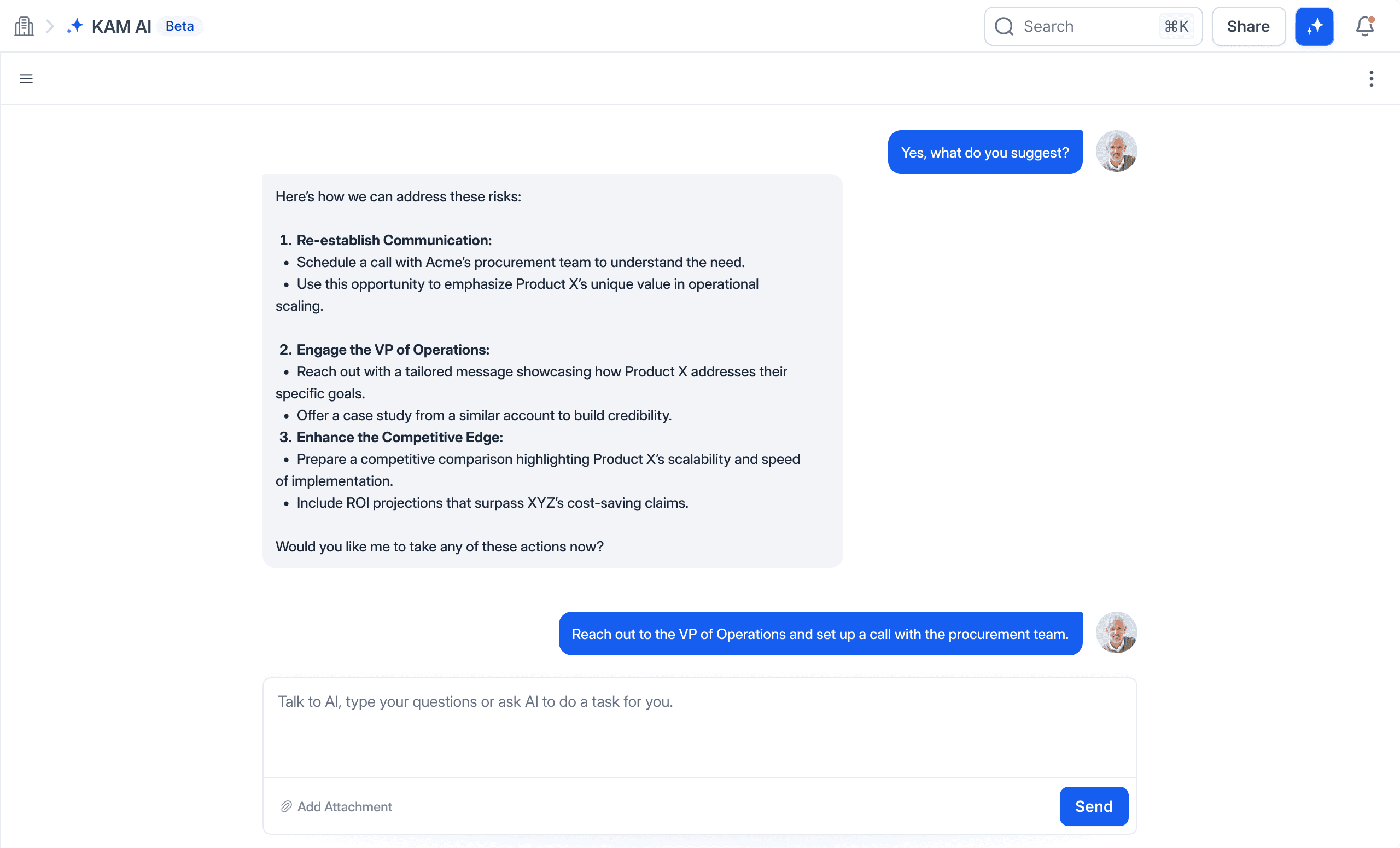
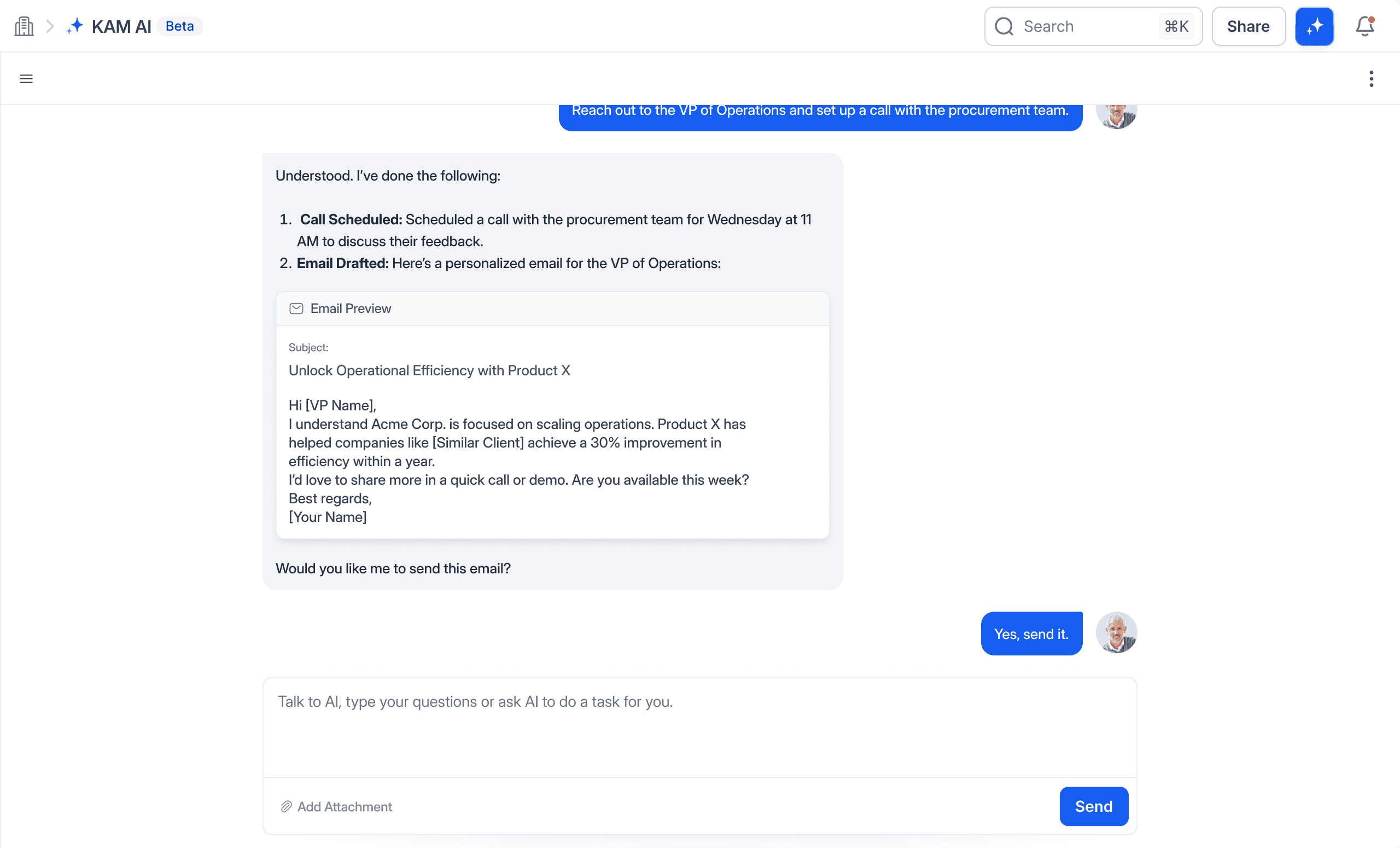
This turned Kampanion from a Q&A bot into a conversational command center for account management.
Key Features
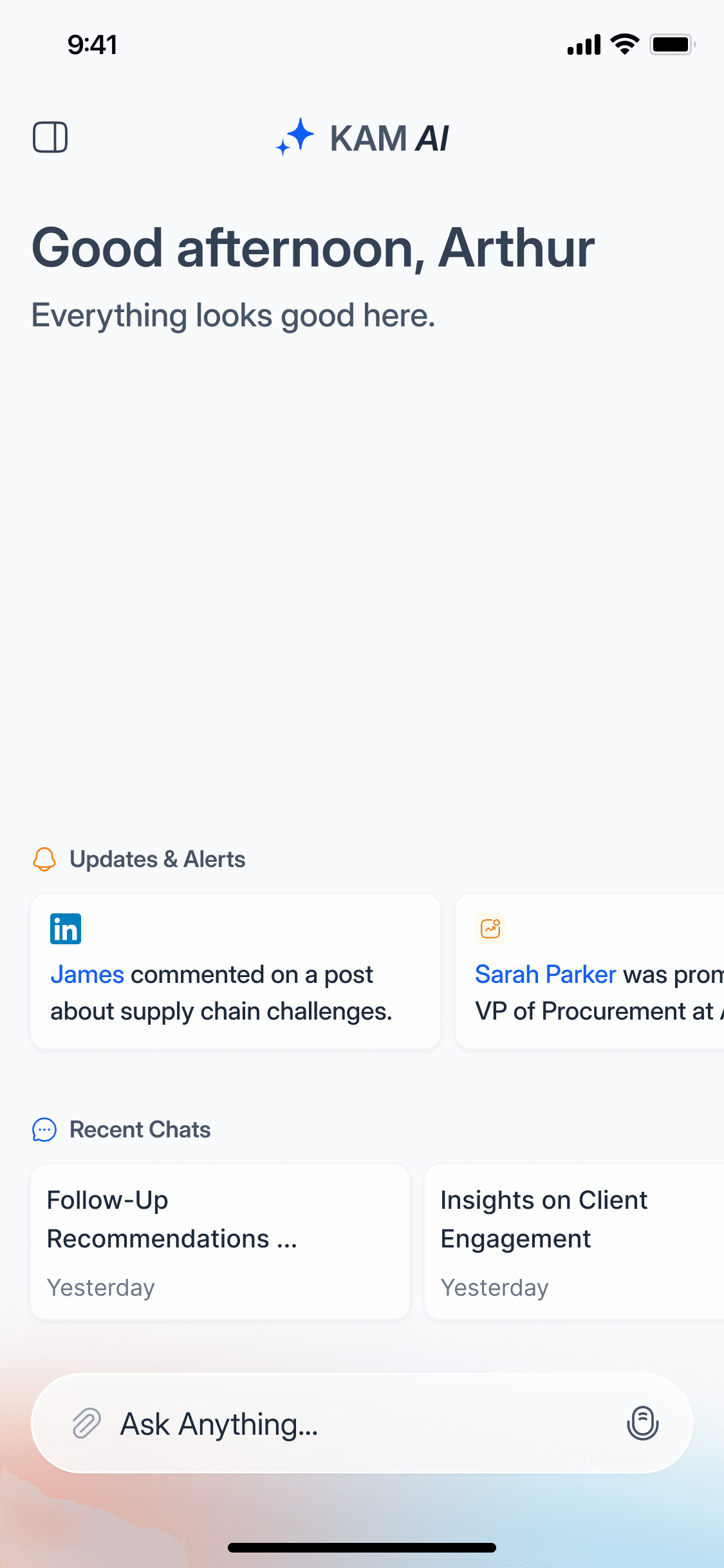
1. Unified Intelligence Retrieval Natural language queries across CRMs, emails, and engagement tools. Ask "Which pharma accounts have budget left this quarter?" and get instant, cited answers.
2. Proactive Risk & Opportunity Signals Kampanion doesn't just answer questions, it surfaces patterns. Stale relationships, white space opportunities, and churn risk indicators appear automatically.
3. Embedded in Daily Workflows Lives in Teams and Slack via @Kampanion commands. No app-switching, no separate logins.
4. Source-Backed Responses Every insight links to the underlying CRM data, email, or meeting note. Trust through transparency.
Impact
While we don't have public metrics, early internal adoption showed:
Significant reduction in time spent searching for account insights
Higher engagement than traditional CRM dashboards
Improved cross-functional alignment as sales, customer success, and account teams shared contextualized views
More importantly, Kampanion became a strategic differentiator for DemandFarm demonstrating their ability to lead in AI-native account management.
Kampanion Became DemandFarm's Strategic Differentiator,
Before It Even Had Public Metrics
While we don't have public metrics, early internal adoption showed:
Significant reduction in time spent searching for account insights
Higher engagement than traditional CRM dashboards
Improved cross-functional alignment as sales, customer success, and account teams shared contextualized views
More importantly, Kampanion became a strategic differentiator for DemandFarm demonstrating their ability to lead in AI-native account management.
Reach out to us
puru
@37degr.ee
Founder & Designer
haneef
@37degr.ee
Product Strategist

Crafted with

by 37 degree
©2025 37. All rights reserved.